
Insight
Google May Soon Let an AI Answer Your Customers' Messages. Is Your Business Profile Ready?
Google is piloting free AI-powered messaging on Business Profiles in Search and Maps. Here's how it works, the risks, and how to prepare.
The short version
- Google is testing a feature where customers can message your business from Google Search and Maps, and an AI agent answers routine questions for you.
- In late October 2026, Google started emailing more businesses offering free early access. Reports say the pilot is mainly in the US.
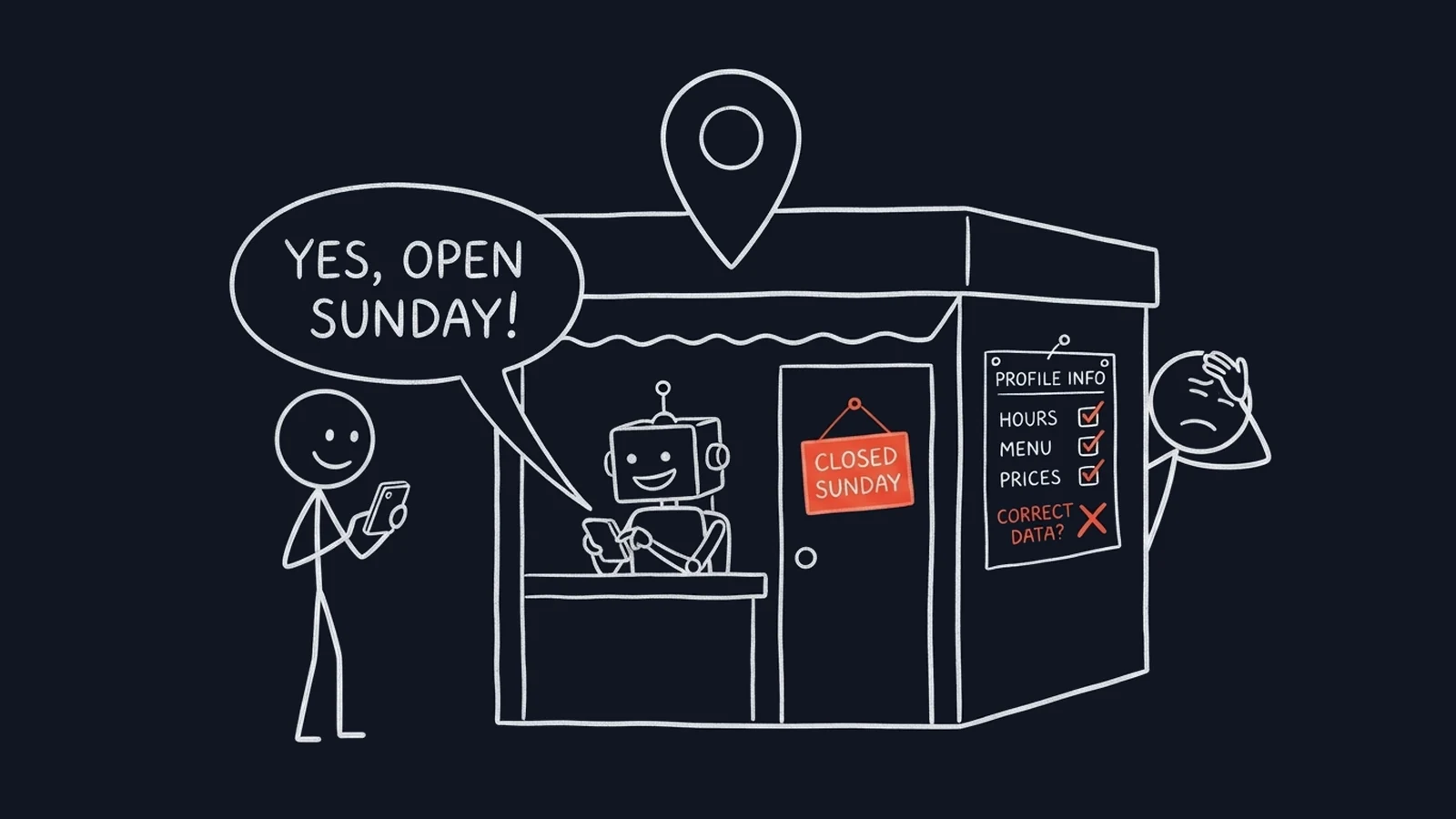
- The AI can only answer as well as your Business Profile is filled in. Wrong hours or old prices become wrong answers.
- Google also made several other Business Profile changes in October, including new restaurant ordering controls.
- Even if you don't get the pilot, a complete, accurate profile matters more every month as Google leans on AI.
What's happening
Your Google Business Profile is the box that appears on Google Search and Maps with your hours, phone number, photos and reviews. For many local businesses it brings in more calls and visits than the website.
Google used to offer a chat button on these profiles but shut it down in July 2024. Now messaging is coming back, with an AI twist.
Here's the timeline, based on Search Engine Roundtable, Partoo and Digitaleo:
- June 2026: A "Messages" section marked "Handled by your AI agent" briefly appeared in some Business Profile dashboards, then disappeared.
- July–September 2026: Local SEO experts in the US spotted the feature in testing. Partoo reported it was still rolling out and not fully working.
- October 29, 2026: Search Engine Roundtable reported that Google seems to be widening access. Local search expert Mike Blumenthal shared a Google email offering free early access to the AI messaging pilot on Search and Maps.
How it works, according to a Google description shared by Claudia Tomina and reported by Search Engine Roundtable:
- Customers tap to message you from Search or Maps, using their phone's normal texting app.
- An AI agent answers routine questions instantly. Google's example: showing menu items with photos and prices, and offering reservation times.
- Questions it can't answer get passed to you, and you can take over any conversation at any time.
- All messages appear inside your Business Profile.
There's a catch: Tomina noted the AI only works for customers whose phones and networks support RCS, a newer form of text messaging. Other customers' messages arrive on your phone as ordinary texts.
Partoo, which saw the dashboard in testing, describes tabs for messages that need your attention, settings for a welcome message and conversation starters, and a "Promote" tab that creates Google Ads which open a chat with the AI agent. There didn't appear to be a setting to control the AI's tone.
Status: pilot and early access, not a full launch. We found no official Google help page for this feature yet, so details may change.
Other Business Profile changes in October
BlakSheep Creative, citing an October 28 Search Engine Roundtable report and Google's help pages, explains that restaurants can now manage and opt out of specific delivery and ordering providers (such as Uber Eats or DoorDash) directly from their dashboard. Other October reports included Google adding a WhatsApp button to some local panels, new dietary attributes for restaurants (such as gluten-free and halal), and tests of new performance reports.
What people are saying
Your profile is now your script
Claudia Tomina's advice, as reported by Search Engine Roundtable, was simple: fix your menu, hours and services first, because the agent can only answer as well as your profile does. Partoo's co-CEO Thibault Renouf made the same point, saying Google is turning Business Profiles into a local conversational agent, so incorrect listing data turns directly into incorrect answers to customers.
Real concerns about AI speaking for you
Barry Schwartz of Search Engine Roundtable called an AI agent answering customers "more dangerous" than earlier automated replies, because it speaks in your name. Partoo raised open questions that Google hasn't answered publicly: exactly what information the agent uses, whether you can control its tone, and whether you can correct its answers.
A bigger shift toward AI-fed listings
PPC Land described Business Profiles as becoming a data layer that feeds Google's AI, Maps and Search, pointing to Google's own newsletter warning that outdated profiles become invisible to conversational searches.
Watch
For a walkthrough of Business Profile chat, see New Google Business Profile Chat (YouTube).
What this means for your business
Here's our take.
1. This is local SEO, just in a new shape. Getting found locally has always depended on a complete, accurate Business Profile. Now that same information may be used to hold conversations with customers. Good profile management isn't a one-off job anymore.
2. Fast replies win local jobs. People often contact the first two or three businesses they find and go with whoever answers first. An AI that replies in seconds at 10pm could be a real advantage, especially for restaurants, salons, trades and clinics.
3. Don't let the AI make promises you can't keep. If your prices, hours or services are vague or outdated on Google, the AI may give customers the wrong idea. Fix those details before you switch anything on.
4. Have a plan for handoffs. The AI passes tricky questions to you. If nobody checks those messages, you've made things worse, not better. Decide who watches messages and how quickly they respond.
5. Watch the "Promote" button closely. Google linking these chats to paid ads makes sense for Google. For you, it's only worth paying for if those chats turn into bookings. Test small.
What to do this month
- Log in to your Business Profile. Check your email and dashboard for any invitation to the AI messaging pilot.
- Audit every detail. Hours (including holiday hours), services, prices or price ranges, menu, booking links and service areas should all be correct.
- Add answers to common questions. Use your services list, business description and posts to cover what customers ask most: parking, payment methods, turnaround times and so on.
- Review your ordering and booking links. Restaurants especially: check which delivery providers appear and remove any you don't use.
- Pick a message owner. Name one person responsible for answering messages, with a target response time.
- Check your phone setup. Since some messages may arrive as normal texts, make sure the number on your profile can receive texts and someone sees them.
Want to know how your business looks to Google's AI?
We'll review your Google Business Profile and website the way Google's AI sees them, and point out missing or outdated details that could lead to wrong answers or lost customers. It's a free local visibility check, with clear next steps.
Request your free local visibility check.
Sources
- Search Engine Roundtable: Google Business Profiles AI-Powered Messaging Expands
- Search Engine Roundtable: Google Business Profiles Adds Message Button With AI Agent
- Partoo: Google brings back messaging on business listings — this time with an AI agent
- Digitaleo: Google Business Profile: Everything to Know About the Return of AI-Powered Messaging
- PPC Land: Google Business Profile is now a data layer that feeds AI, Maps and Search
- BlakSheep Creative: Google Business Profile Ordering Controls: What Restaurant Owners Need to Know
- Sterling Sky: Timeline of Local SEO Updates in 2026