
Insight
Is Your Google Ads Budget Leaking Into Sites You Never Chose? New Controls Can Help
Google Ads now lets you rank channels and cap spend on Display and Search partners. Here's what it does, its limits, and the February 2027 deadline.
The short version
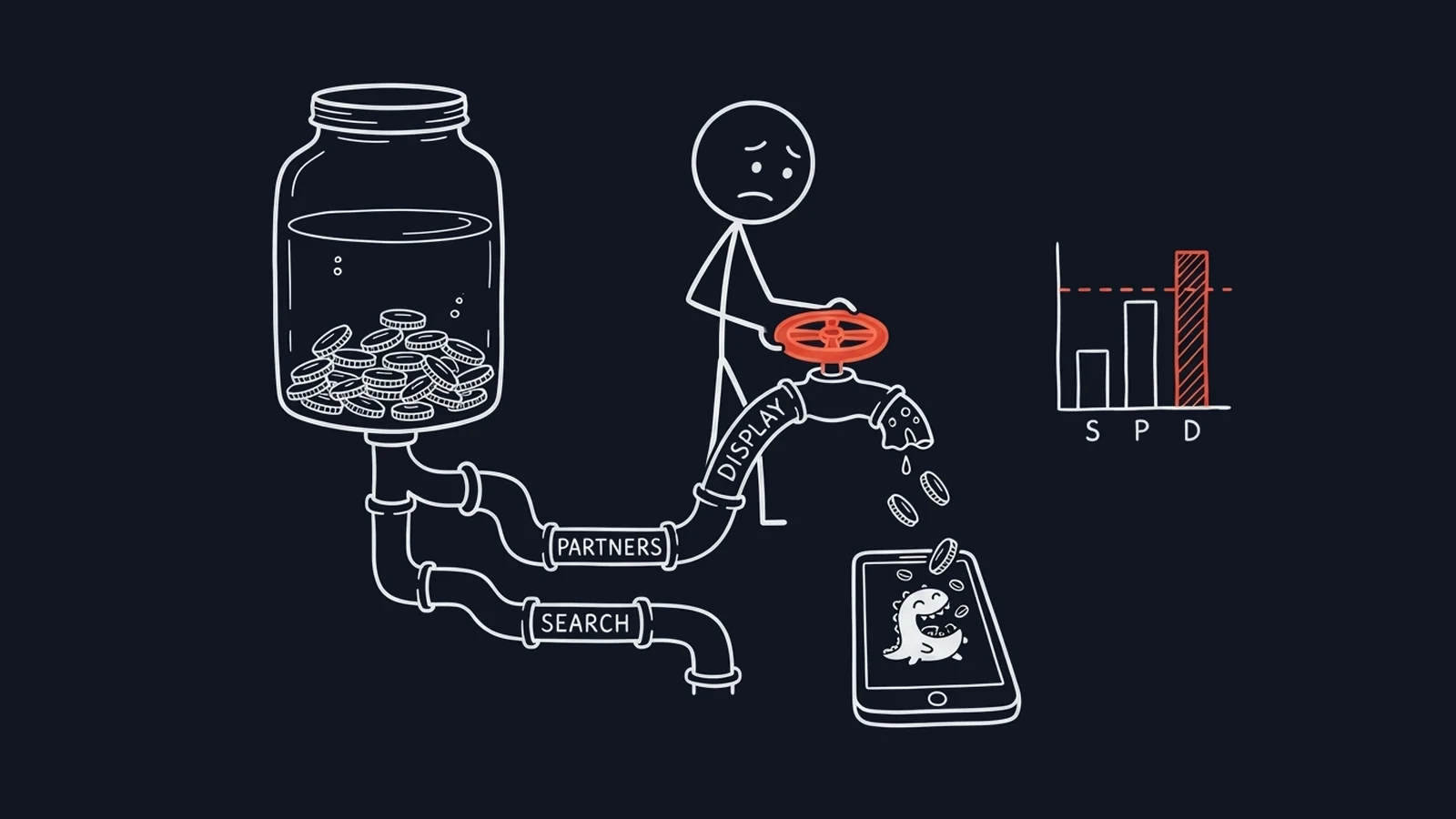
- Since mid-October 2026, Google Ads has been rolling out two new settings: "channel prioritization" (which channels get your money first) and "budget allocation" (a percentage cap for lower-priority channels).
- You can finally tell Google to spend less, or nothing, on Search partners and the Display Network inside Search, Shopping and Performance Max campaigns.
- The caps are "best effort", not hard limits, and you still can't separate YouTube, Gmail or Maps inside Performance Max.
- In February 2027, Search campaigns that currently show on Display will change how they spend. Doing nothing could shift your budget.
- Nothing changes until you change it: every channel starts as "High priority".
What's happening
On October 14, 2026, Google announced two new budget controls for Google Ads, with the rollout starting the next day. Google says it is rolling out globally "over the coming months", so some accounts may not see it yet.
A quick bit of background. When you run a Google Ads campaign, your ads don't only appear on Google's own search results. Depending on the campaign type, they can also show on:
- Search partners: other websites and apps that use Google's search technology.
- The Google Display Network (GDN): millions of websites and apps that show banner and image ads.
For years, small advertisers have complained that these extra places can quietly eat budget with weaker results. Until now, the options were mostly all-or-nothing.
The new settings work like this:
- Channel prioritization. You mark each channel as "High priority" or "Low priority". Google spends on high-priority channels first, and only sends leftover budget to low-priority ones. You can set this for the whole account, for a shared budget, or for a single campaign.
- Budget allocation. For any low-priority channel, you set a daily percentage of your average daily budget. For example, 5% of a $1,000 daily budget means Google aims to spend about $50 or less there. Setting it to 0% stops spend on that channel.
Which campaigns does this cover? According to Google and the trade press, Search campaigns can rank Google Search, Search partners and Display separately. Shopping campaigns get Google Search and Search partners. Performance Max (Google's all-in-one automated campaign) gets three buckets: "Google channels" (Search, YouTube, Maps, Gmail and Discover grouped together), Search partners and Display. Demand Gen campaigns get prioritization, but Google's help page, as quoted by PPC Land, says budget allocation doesn't apply to them. None of the coverage we read mentions AI Max campaigns, so we wouldn't assume either way.
There is also a deadline. From February 2027, Search campaigns that have Display switched on will lose the current way Display spending is set, and your spend may shift. Google suggests setting Display to Low priority with a 50% allocation to keep things working roughly as they do today.
What people are saying
Useful, but "soft" control
PPC Land's Luis Rijo stressed that every part of this system is flexible rather than fixed. The percentage is a target, not a ceiling, and prioritization does little for campaigns that aren't running out of budget. He also pointed to a commercial angle: Google openly hopes advertisers who switched off Search partners and Display will switch them back on.
Don't assume these are hard caps
Search Engine Journal's Brooke Osmundson called budget allocation the most useful part of the update. She also warned that restricting channels on campaigns already hitting their cost or return targets could limit the bidding system's options, and that Performance Max controls don't go as far as many advertisers hoped. Exchange4media's Shantanu David put it more bluntly: advertisers get influence, not control.
Details still settling
Sources disagree on a few points. Search Engine Journal said API support was ready at launch, while Google's help page (as quoted by PPC Land) said "coming soon". Reports also differ on when Demand Gen support fully arrives, with some citing limited testing from November 2026. Search Engine Roundtable noted that an early test version was spotted back in August.
Watch
For a quick weekly news rundown that includes this change, see It's New 10/15: Google Ads channel prioritization and budget allocation, Merchant Center store & SEO (YouTube).
What this means for your business
Here's our take.
1. This is the first real lever on "hidden" spend in years. If you've ever opened a placement report and wondered why your plumbing ad ran in a mobile game, this is for you. For many local service businesses, Google Search itself drives most of the results, and the extra channels are where waste tends to hide.
2. Treat the percentages as a dimmer, not a lock. Because Google calls the caps best-effort, you'll still see some days where a channel goes over. Judge it on weekly and monthly totals, not one day.
3. Don't cut channels just because you can. Search partners and Display aren't always bad. For some businesses they bring cheap, decent leads. The right move is to look at your own conversion data first, then decide. Cutting a channel that actually works will raise your cost per lead.
4. Performance Max is still a bit of a black box. You can now cap Display and Search partners there, but YouTube, Gmail and Maps are still lumped together. If you need tight control over where money goes, a well-built Search campaign is still easier to steer.
5. The February 2027 change is the one most likely to catch people out. It's the only part of this update that affects advertisers who do nothing. Put a reminder in your calendar now.
What to do this month
- Check whether you have the new setting. In Google Ads, go to Account settings and look for a "Channel prioritization" card. If it isn't there yet, check again in a few weeks.
- Pull a simple channel report. Look at the last 60–90 days of results split by network (Google Search, Search partners, Display). Note the cost per lead or sale for each.
- Mark weak channels as Low priority. If Search partners or Display cost much more per result, set them to Low priority with a modest cap, such as 5–10%, rather than zero.
- Test before you cut entirely. Run the lower cap for 3–4 weeks, then compare. Only go to 0% if results don't suffer.
- Fix the February 2027 issue early. For Search campaigns with Display turned on, consider Google's suggested 50% Low priority setting now, so nothing shifts by surprise.
- Write down what you changed and when. A short note makes it much easier to see what caused any jump in results later.
Want a second pair of eyes on your Google Ads?
We'll look at where your budget actually went over the last few months, which channels are pulling their weight, and how to set up the new controls before the February 2027 change. It's a free Google Ads account review, with a short written summary and no obligation.
Request your free Google Ads account review.
Sources
- Google: New Google Ads channel prioritization and budget controls
- PPC Land: Google Ads lets advertisers limit Display and partner spend by percentage
- Search Engine Roundtable: New Google Ads Controls: Channel Prioritization & Budget Allocation
- Search Engine Journal: Google Ads Introduces Channel Prioritization And Budget Allocation
- Exchange4media: Google is giving advertisers more control over ad budgets. But how much?
- Common Thread Collective: Google Ads October 2026: New Channel Prioritization Controls